Why can't I see Apsona? Why is Apsona tab missing? Why do I see the error: "FUNCTIONALITY_TEMPORARILY_UNAVAILABLE"?
If a user can not Access the Apsona tab it can be for a variety of reasons. Here is a checklist to go through to ensure that the user has all permissions needed to see Apsona:
-
For a high level overview of installing and configuring Apsona for your users, please see this quickstart video.
-
For a video that is more specific about assigning an Apsona license, see this video.
-
If you've confirmed that the user has been assigned an Apsona license, but they still don't see the Apsona tab, check for these things:
- Ensure that the user profile or permission set has create, read, edit, delete access to the custom object "Apsona Items" and that all fields on the object are checked as editable.
- Ensure that the user profile or permission set has access to the 'ApsonaForSalesforce' Visualforce page
- Ensure that the Apsona Tab is visible to the user profile or permission set (via object settings->Apsona->Tab Settings->Default On)
- Ensure that the user's profile or permission set has "API User" checked
-
See this help article for full details on user access
-
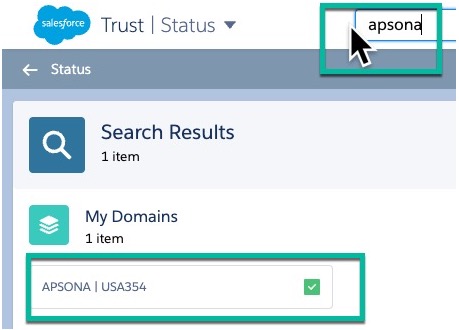
If you can't access Salesforce or if you get an error that includes "FUNCTIONALITY_TEMPORARILY_UNAVAILABLE" you may be experiencing a partial outage from Salesforce. Try visiting https://status.salesforce.com/ to see if your Salesforce instance is included in an outage. You can search for your domain or instance number on this site to learn about the current status, and any upcoming maintenance windows. Your unique domain will be right after the https:// in your salesforce URLs. Your 'instance' can be found in the 'Company Information' page of Salesforce Setup. For example our domain is 'apsona' and our instance is 'USA354'