How to Grant Login Access to Apsona Support
Granting login access allows Apsona Support to securely access your Salesforce org to investigate and resolve issues. Access is time-bound and fully controlled by you.
Availability & Permissions
-
Available in: Salesforce Classic and Lightning Experience
-
Available in: All Editions
-
Granting admin access is supported in: Enterprise, Performance, Unlimited, Developer, and Database.com Editions
-
Required permission: View Setup and Configuration
Steps to Grant Access
-
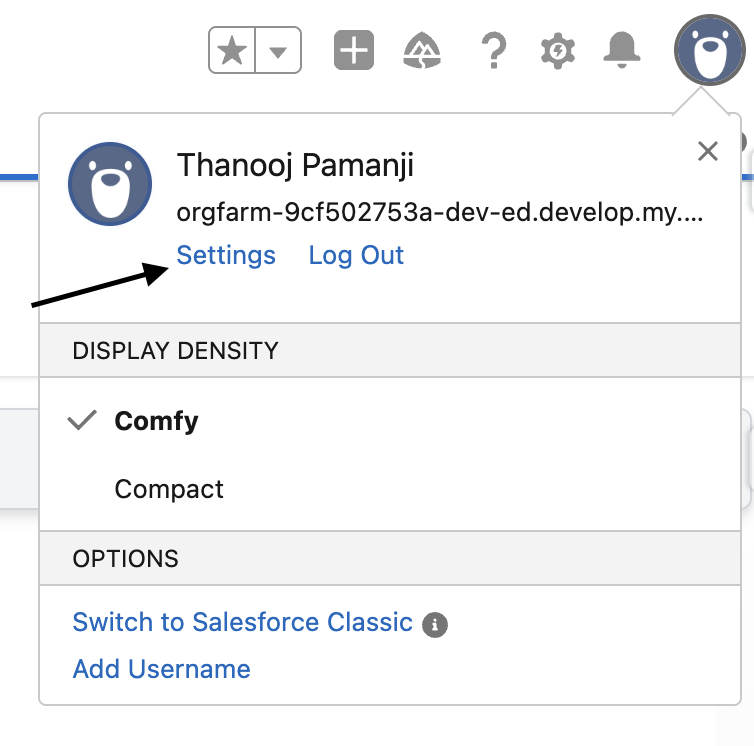
Click your Profile Icon (top-right corner)
-
Select Settings
-
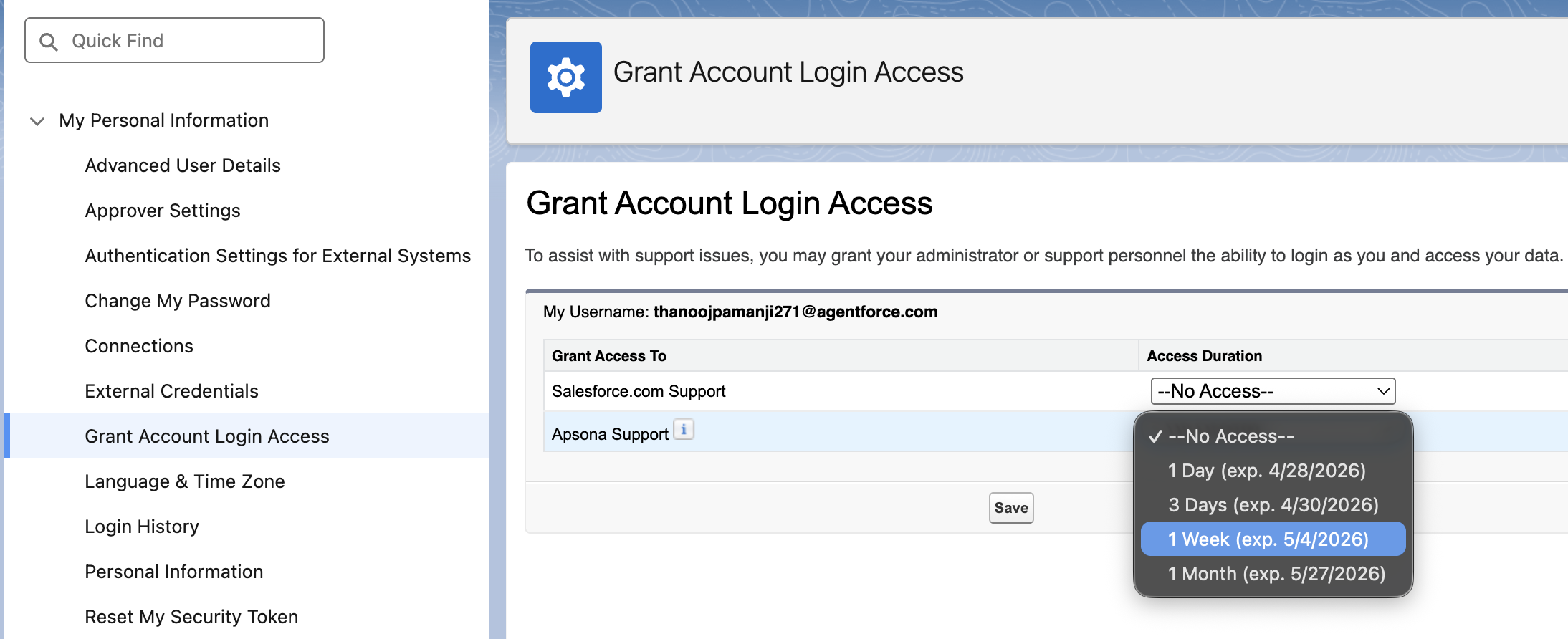
In the Quick Find box, search for “Grant Account Login Access”
-
Click Grant Account Login Access
-
Locate Apsona Support in the list
-
Choose the desired Access Duration (e.g., 1 day, 1 week, 1 month)
-
Click Save
Important Notes
-
Access automatically expires after the selected duration
-
You can revoke access at any time
-
Any actions performed by support are logged in the Setup Audit Trail
-
In some organizations, additional activity tracking may also be enabled
Why This Is Needed
Granting access helps Apsona Support:
-
Troubleshoot issues faster
-
Review configurations directly
-
Provide accurate and efficient resolutions
Need Help?
If you are unable to grant access or do not see Apsona Support listed, please contact your Salesforce Administrator or reach out to Apsona Support.