How to bulk assign licenses in Apsona?
Bulk Assigning Multi-Step Reporting (MSR) Licenses
Step 1: Go to Apsona → Manage Licenses and list the users who need the MSR license.
Step 2: Create a CSV file with two columns:
- User Name
- Package License (use apsona_msr for all users)
Step 3: In Salesforce, open
Apsona → User Package License → Tools → Import.
Step 4: Upload the CSV file and complete the import.
Step 5: Re-check under Manage Licenses to confirm all selected users now have MSR assigned.
Bulk Assign Licenses for Access level (Standard, View Only, Button) Doc merge and Charts -
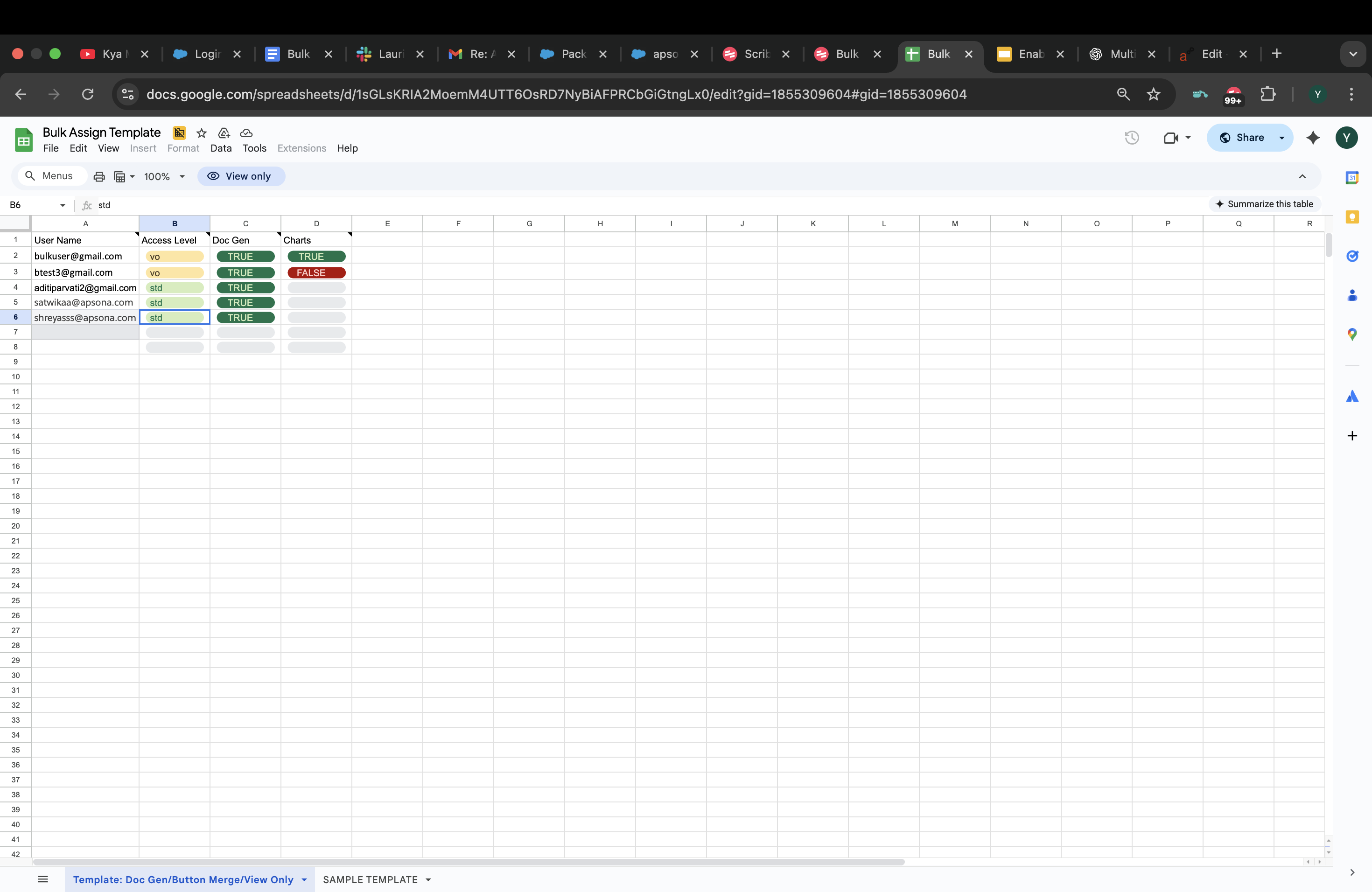
- Prepare Your CSV File
Your CSV must contain at least the following columns along with User Name:
User Name → Access Level, Doc Gen, Charts
- Upload the CSV in Apsona
- Go to Apsona App → Settings → Manage Licenses → Assigned Users.
- Click Bulk Assign.
- Upload your prepared CSV and click Next.
- Review & Validate
- Apsona will parse the file and show a preview.
- Review the mapping of CSV columns to Apsona fields.
- If errors are found (e.g., duplicate usernames, missing values), correct your CSV and re-upload.
- Import
- Once errors are resolved, click Import.
- A success message means all licenses are assigned.
Bulk Assigning Licenses Video Tutorial
For more information on bulk assigning of licenses, please visit our Website